 STEMDESKSTEMDESK
StemDesk separates your track into stems, builds a complete mix through real VST3 processing, and hands you the session — plus 17 professional plugins that work in Pro Tools and every major VST3 DAW.
Free tier includes the Compressor, Gate, and Limiter plugins — no account required.
One unbroken screen capture: the mix playing, live loudness metering, AI generation, and the chain editor.
"Guiding Light" — 100% written, performed and produced inside StemDesk. No musicians, no recording: StemDesk generated the track, split it into stems, then mixed and mastered them through its own plugins. Switch mid-play — same moment, so you hear exactly what the mix engine did.
Both sides are loudness-matched — what you hear is the mix and the master, not one side simply turned up.
A complete desktop mixing pipeline that runs on your machine — your audio never leaves your computer.
Drop in a stereo 2-track and StemDesk splits it into 4 or 6 stems, locally — or start from your own stems folder, a Pro Tools session, or a reference track.
Every stem is measured — role, LUFS, spectral balance, key and BPM — against one of 154 genre profiles, from trap and drill to gospel and Afrobeats.
Per-stem chains, gain staging, pan, sidechain ducking, vocal rides and mastering — rendered through real VST3 plugins, every decision inspectable.
Export WAV, MP3, FLAC or AAC — or take the whole session into REAPER, Ableton Live, DAWproject, or Pro Tools, built track-by-track.
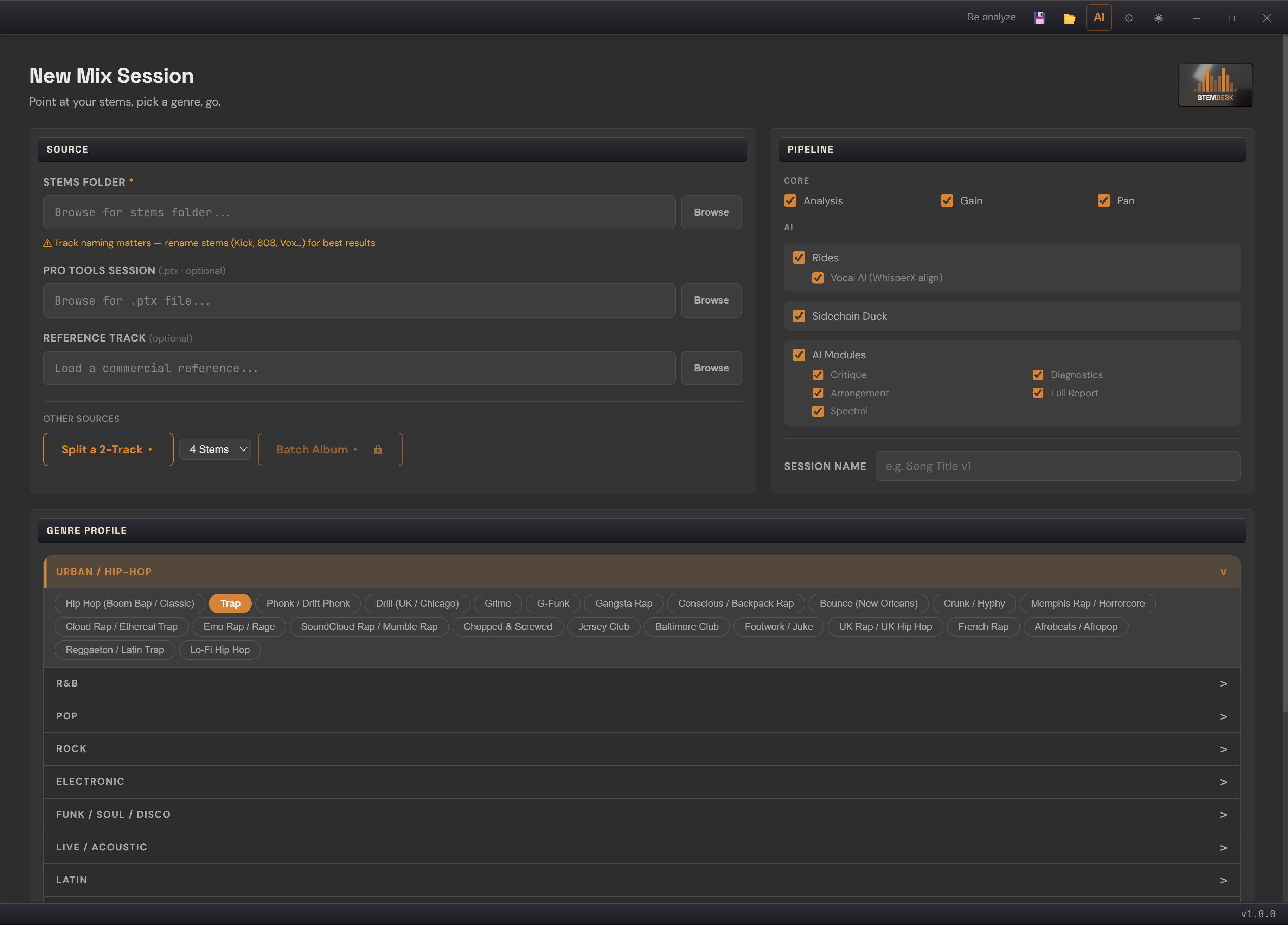
New Mix Session — point at your stems or a 2-track, pick from 154 genre profiles, go.
Twenty-two tools live in one panel beside your session, on a local model on your machine. Your audio never touches the cloud, and the AI never silently edits your mix — every suggestion is shown, explained, and applied only when you say so.
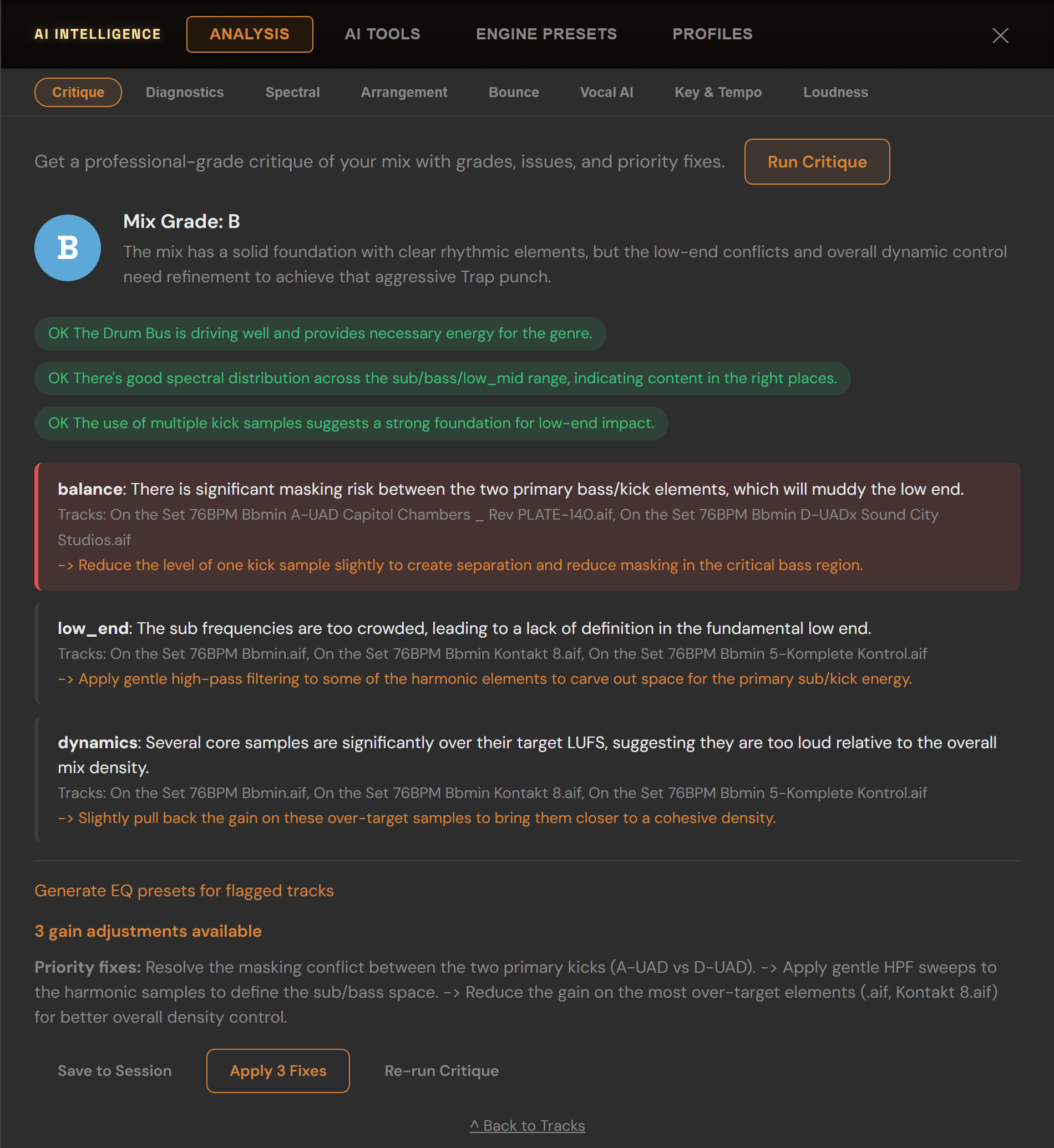
Mix Critique
An A–F grade with a numeric score: what's working, what's masking, issues ranked by severity with the tracks they affect — and one-click "Apply Fixes", fully undoable.
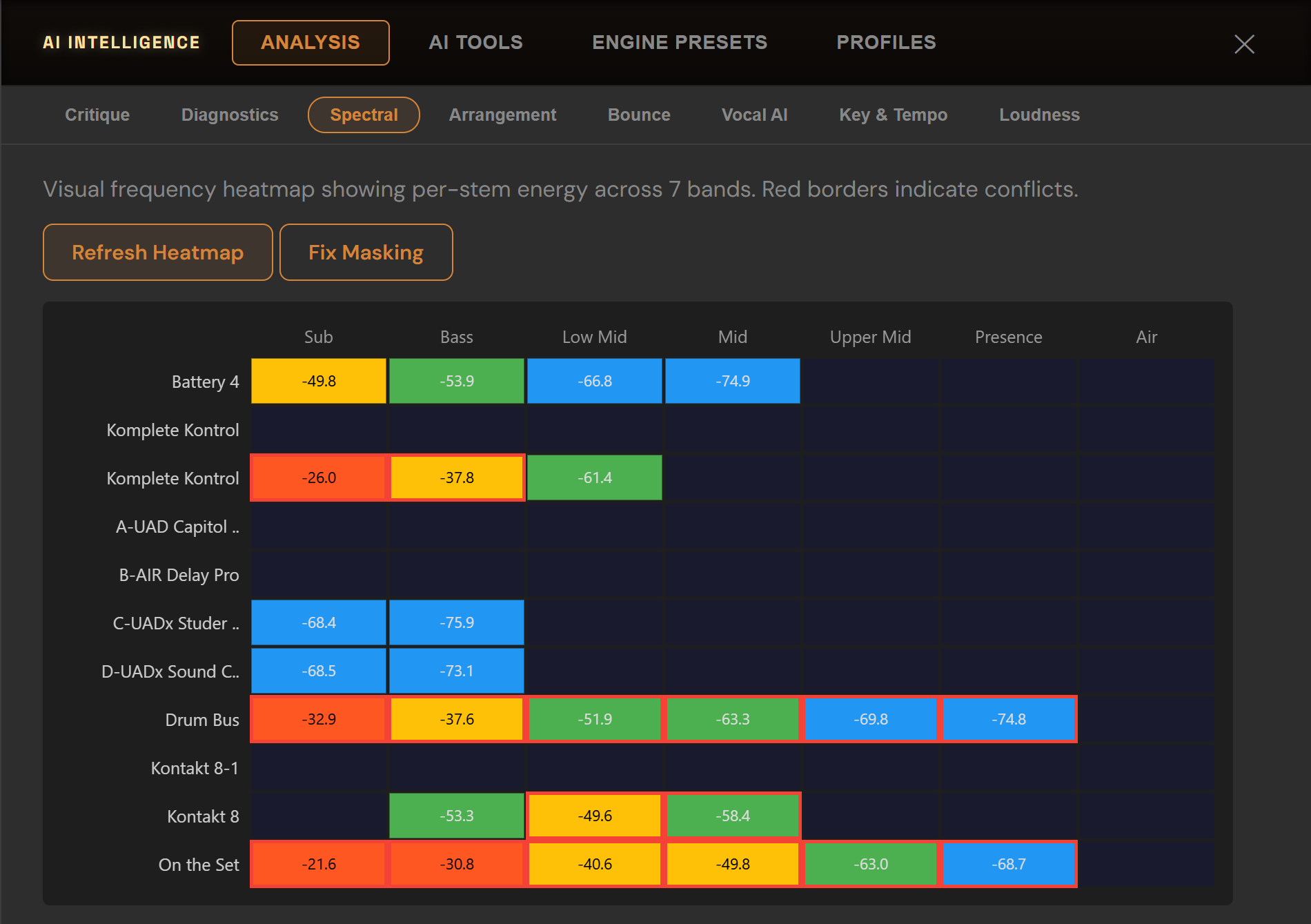
Spectral heatmap
Per-stem energy across seven bands, conflicts outlined in red, one-click "Fix Masking".
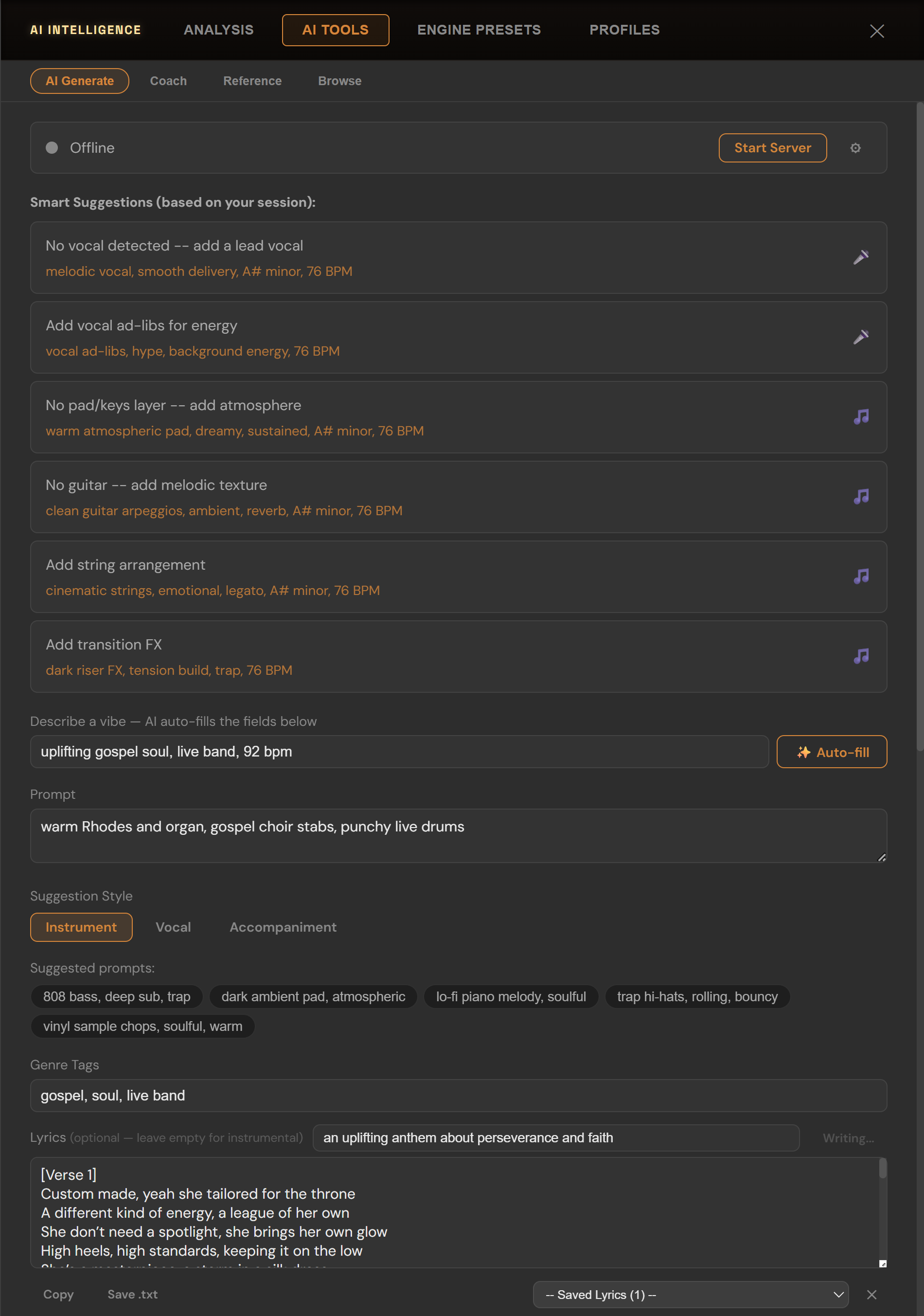
AI Generate
Prompt a track in your song's key and BPM, and StemDesk splits the result into vocal, drums, bass, guitar, piano and instrument tracks and drops them into your session — actual stems, not a locked stereo file. The lyric writer drafts verses and hooks from one line.
Music generation connects to a local ACE-Step install (a free, separate download you point StemDesk at). Everything else on this page works without it.
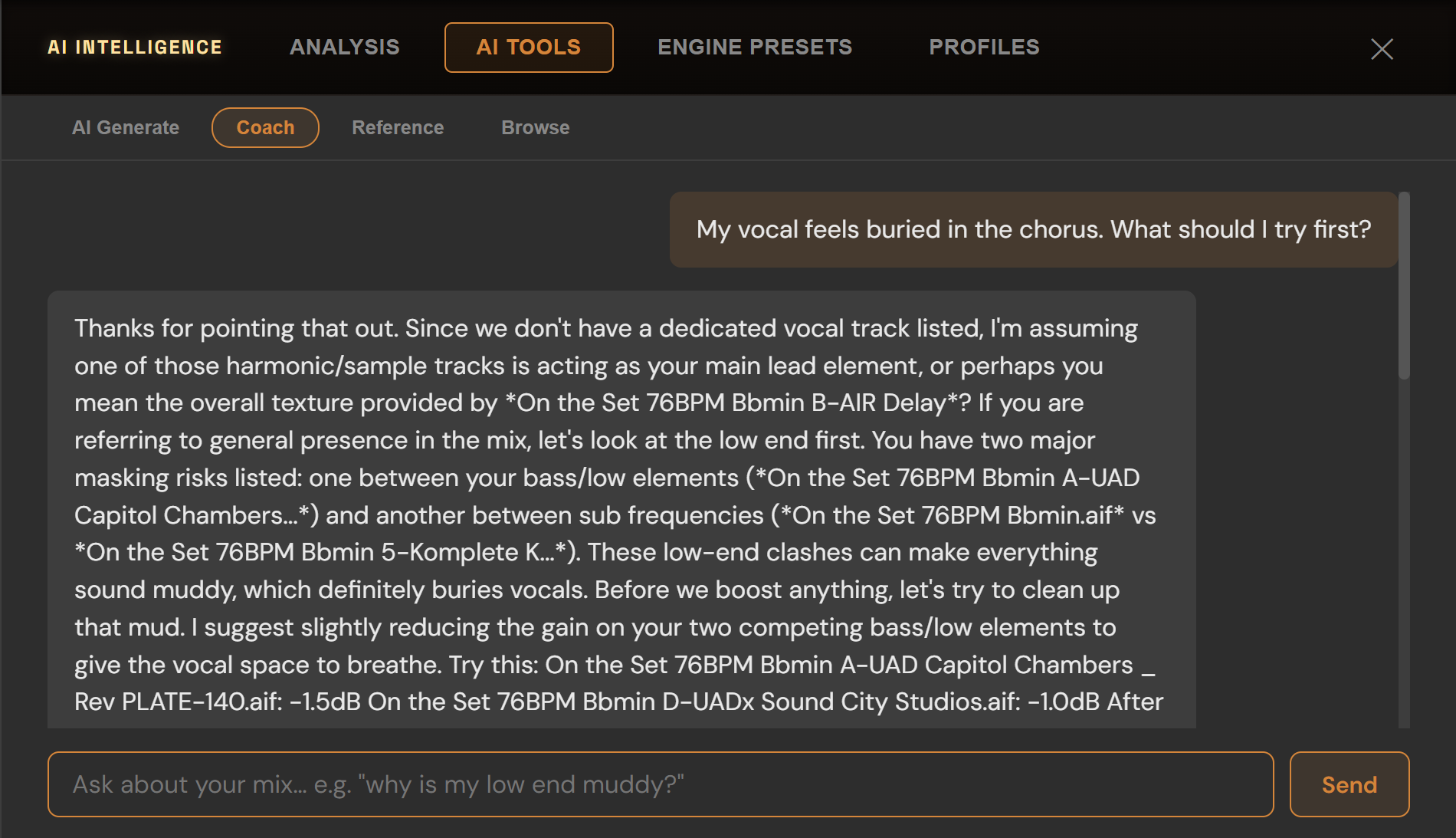
Mix Coach
Session-specific answers as concrete dB moves, ready to apply. Type "kick needs more punch" — a 319-phrase mix vocabulary resolves it instantly; the local model handles the rest.
Also in the panel:
.stemdeskprofile mix profilesThe text tools run on a local model you download once, in-app, with your consent. Without it the analysis falls back to deterministic rules — you always get a result, never a spinner waiting on a server.
The part most "AI mixing" tools keep in a black box. StemDesk shows you every decision, per track, and lets you overrule any of it.
From rhythm correction to limiting — each switched on only where it helps. Hover any one to see why it fired; click to bypass it.
Every stem is classified into one of 24 roles and flagged for review when the call is close. Move a track and the chain re-thinks itself.
Change your mind after the mix is built and every gain and pan target re-balances live — no new session.
Eleven delivery targets — Spotify, Apple Music, YouTube, club, CD and more — plus a custom LUFS and true-peak target.
A/B the raw sum, gain-and-pan only, the processed mix, and the master — loudness-matched so the louder one doesn't just "win."
The master curve adapts verse by verse and chorus by chorus, instead of stamping one static curve across the song.
Word-level transcription drives the ride automation — around phrases and breaths, not a blind energy envelope.
Point it at a folder and StemDesk mixes every song, then reports how consistent the record sounds. Studio tier.
Ctrl+Z through gain moves, pan moves, applied AI fixes and reference matching. Nothing the AI does is one-way.
VST3 and AAX on Windows, VST3 and Audio Unit on macOS — the VST3s validated at pluginval's maximum strictness, the Audio Units by Apple's auval — PACE-signed for Pro Tools. Three are free forever. Every interface below is the real plugin.
Six of the seventeen, running on audio in a DAW — real spectrum, real gain reduction, real metering.
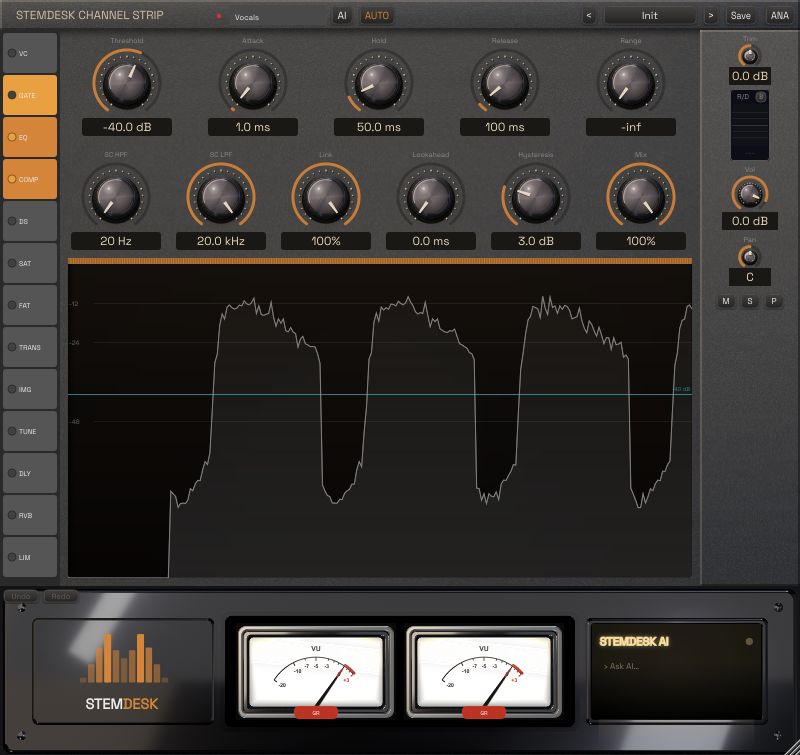
The whole console channel — 13 re-orderable modules with one-click AI configuration.
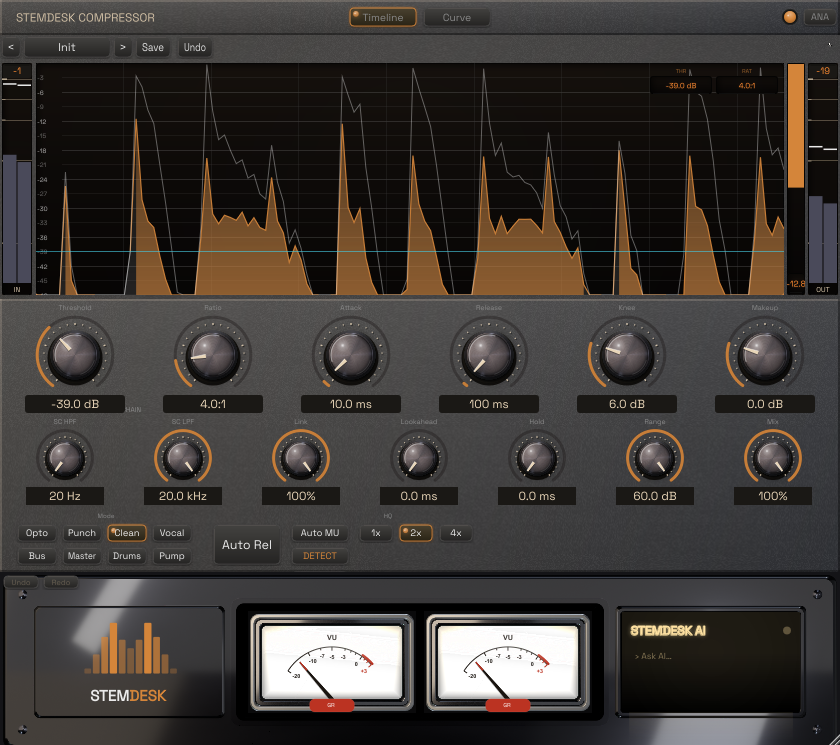
Eight character modes from Clean to Mastering — lookahead, auto-makeup, parallel mix, filtered external sidechain.
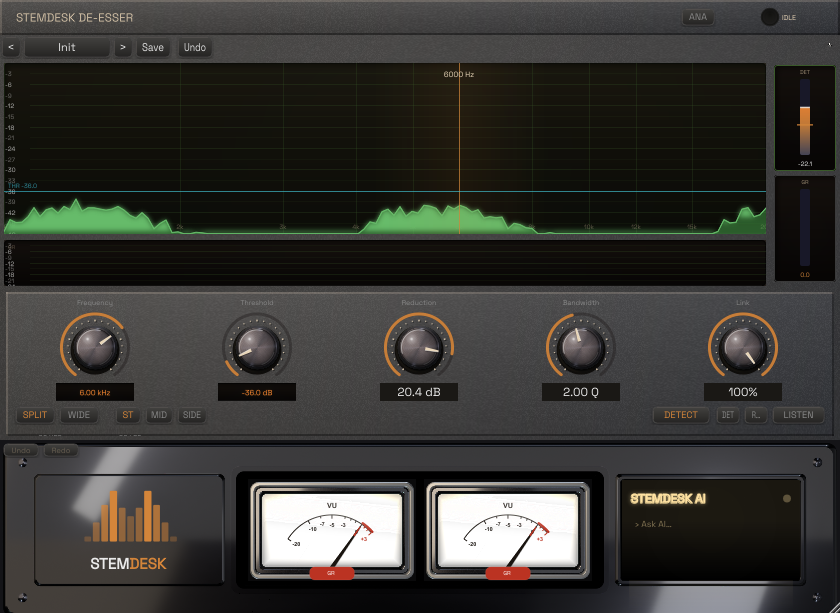
Wideband or split-band, stereo/mid/side, with an audition mode to hear exactly what's being removed.
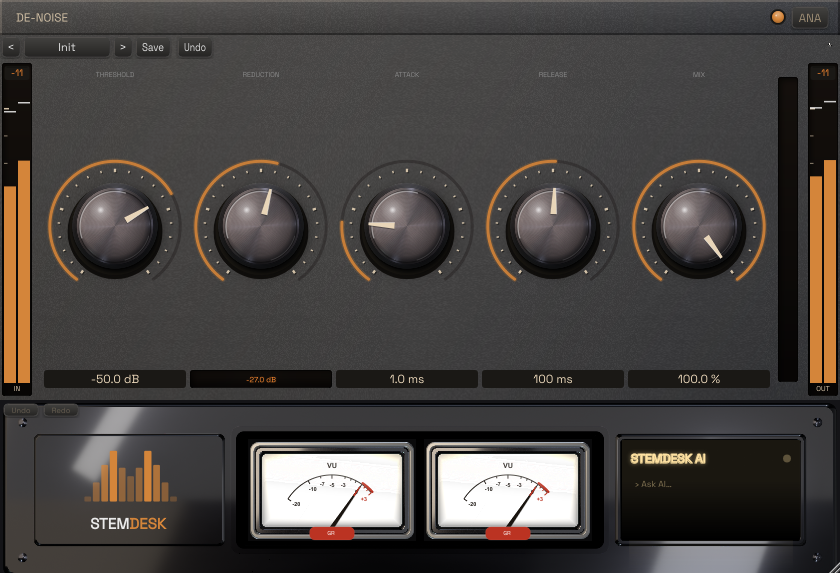
Broadband noise reduction with envelope control and a mix knob for transparent parallel cleanup.
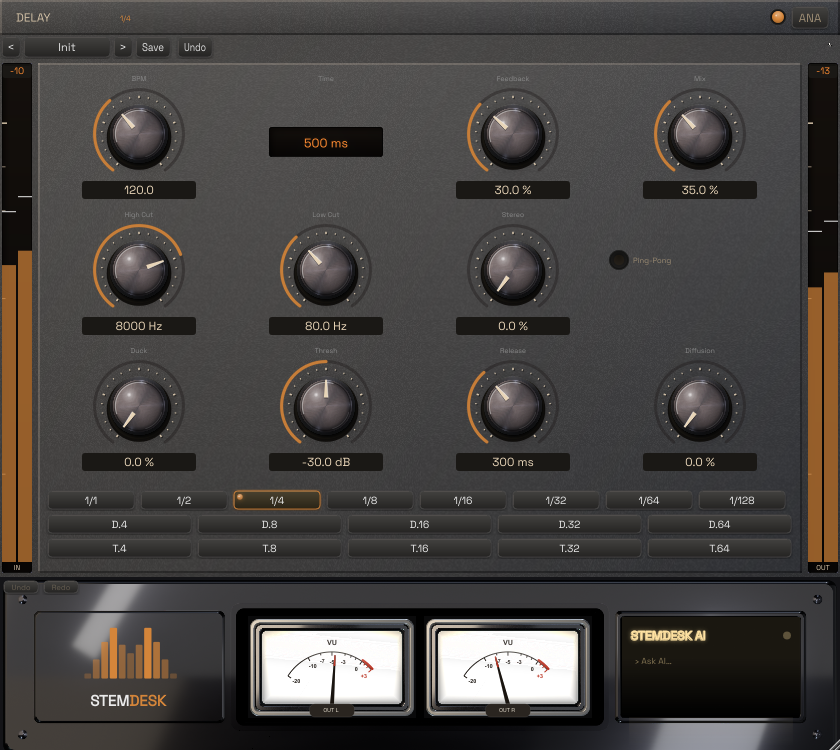
Tempo-synced echoes — 18 subdivisions, ping-pong, diffusion, and built-in ducking that keeps repeats out of the vocal's way.
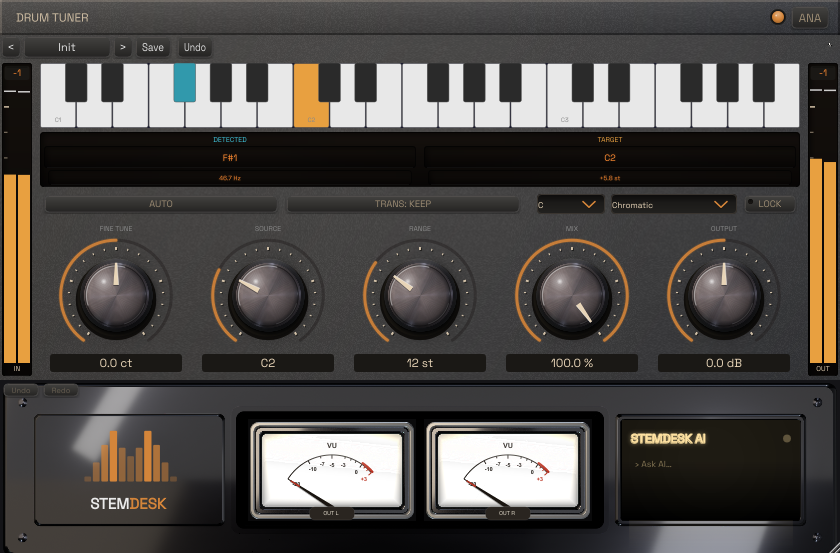
Tune kicks, 808s and toms to the song — chromatic or scale-locked, with cent-level control.
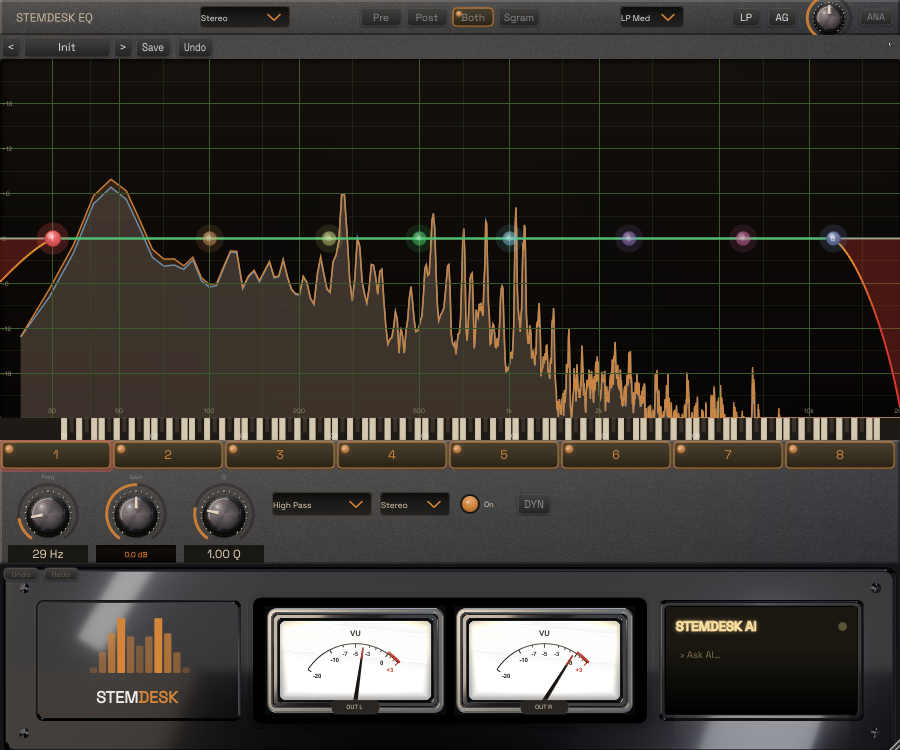
8 bands, dynamic EQ per band, zero-latency or linear-phase, with spectrum and sonogram analyzers.
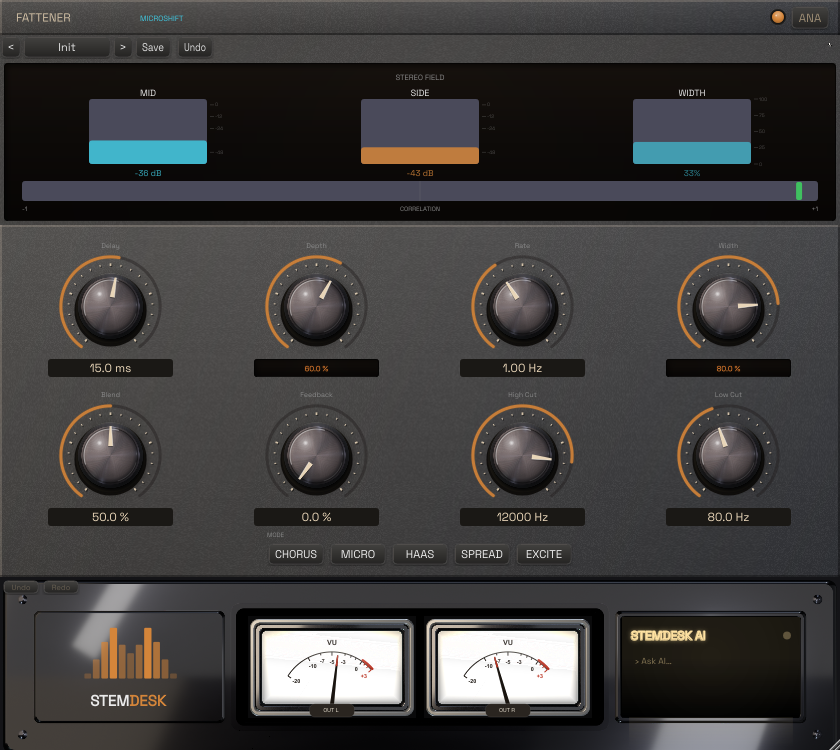
Five thickness engines — chorus, micro-shift, Haas, spread, exciter — for vocals and 808s that fill the speakers.
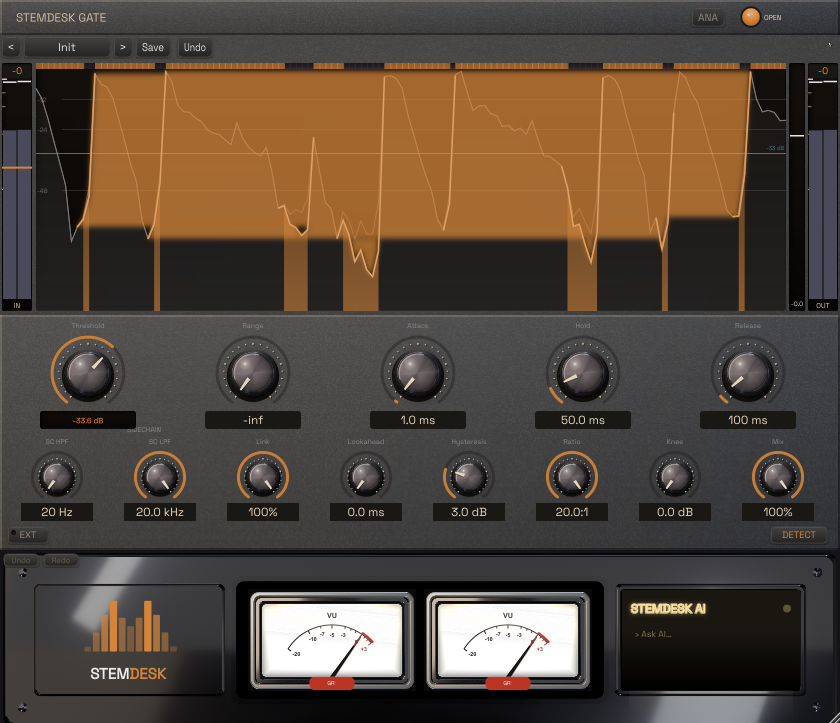
Lookahead, hysteresis, hold and range, filtered external sidechain — from drum tightening to hard chops.
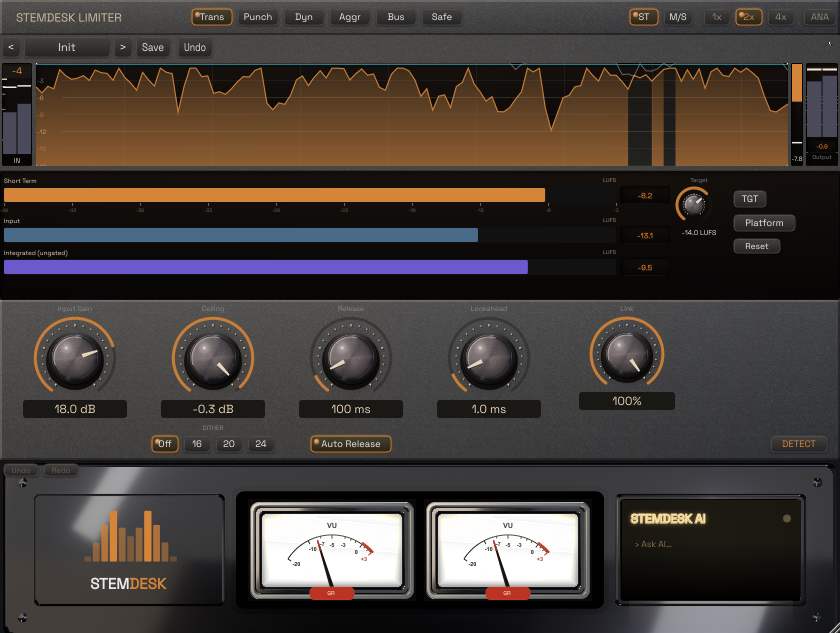
Six styles, K-weighted LUFS metering, 4×-oversampled inter-sample peak detection, and dithering.
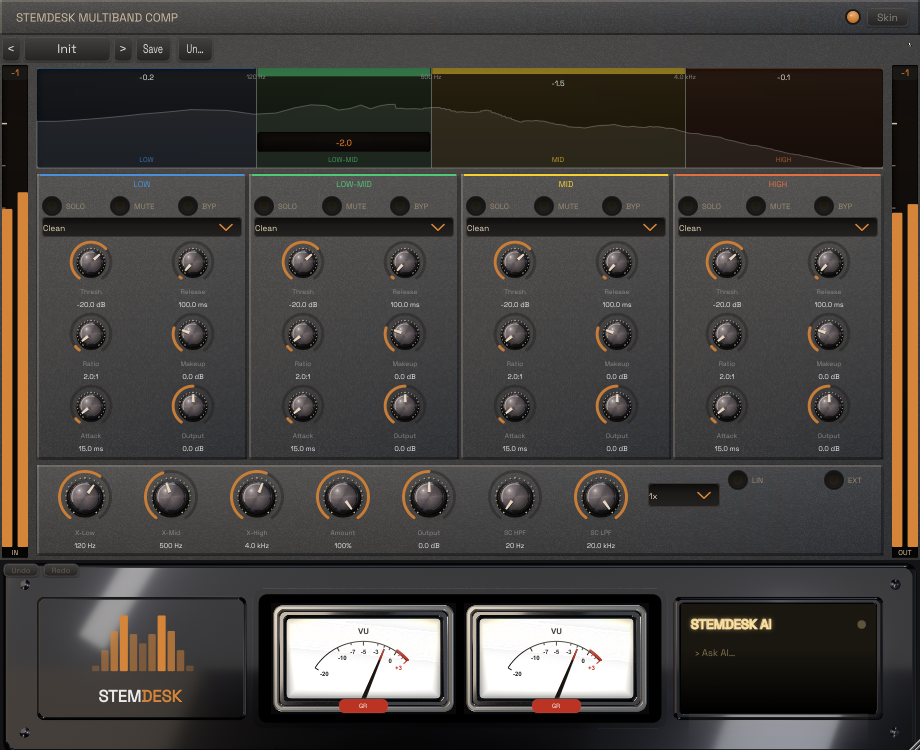
Four bands, linear-phase capable, the full compressor mode set per band, and external sidechain.
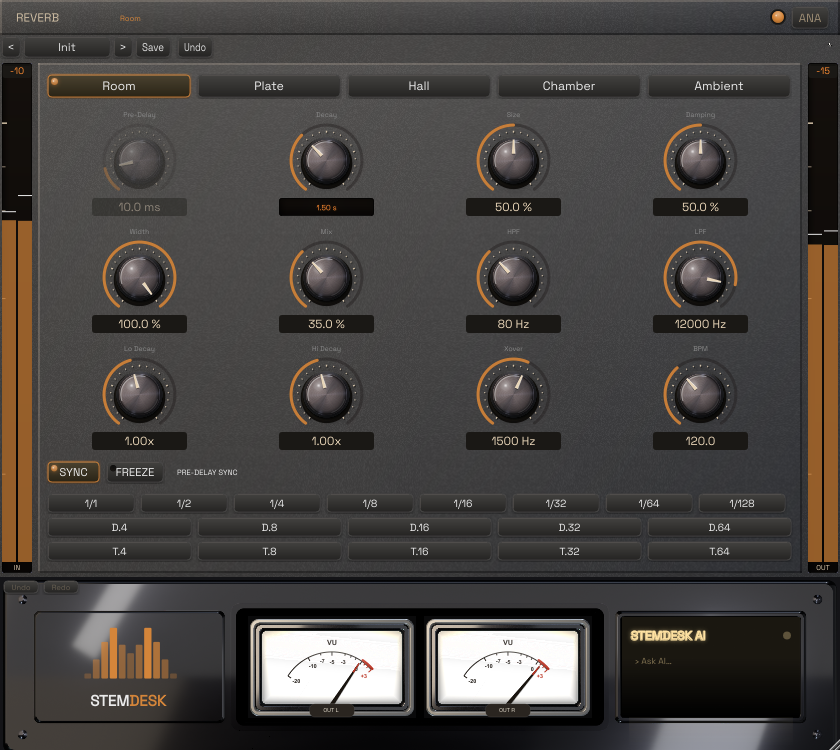
Room, Hall, Plate, Chamber and Ambient — frequency-dependent decay, tempo-synced pre-delay, freeze.
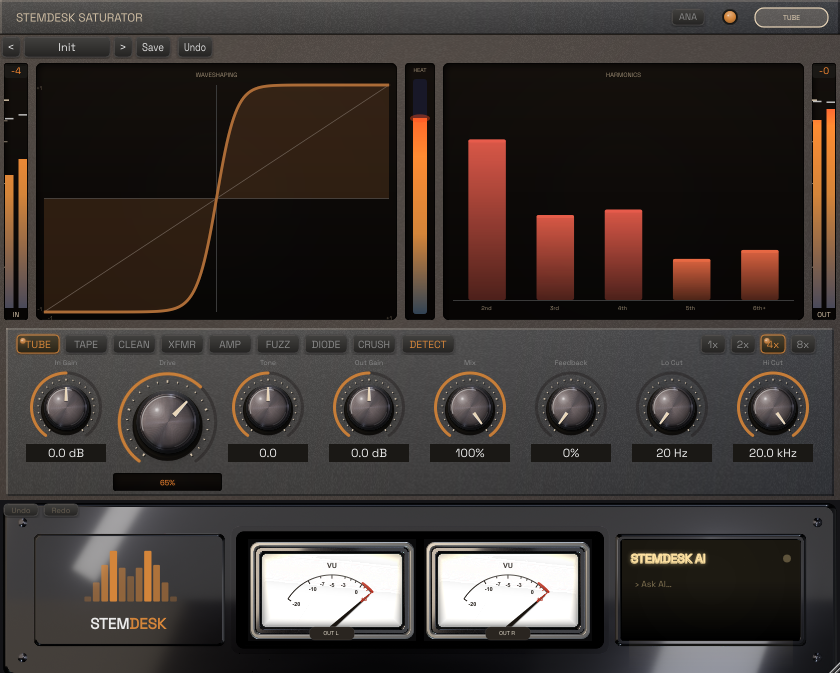
Eight models from Tape and Tube to Fuzz and Crush, with tone shaping and up to 8× oversampling.
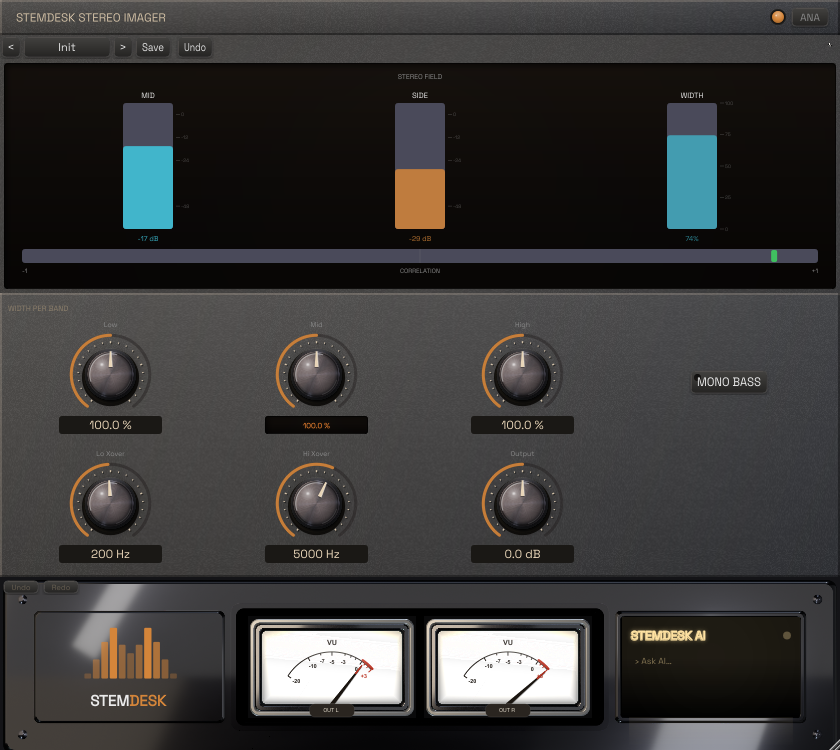
Three-band width with a mono-bass switch — wide tops, club-safe low end.
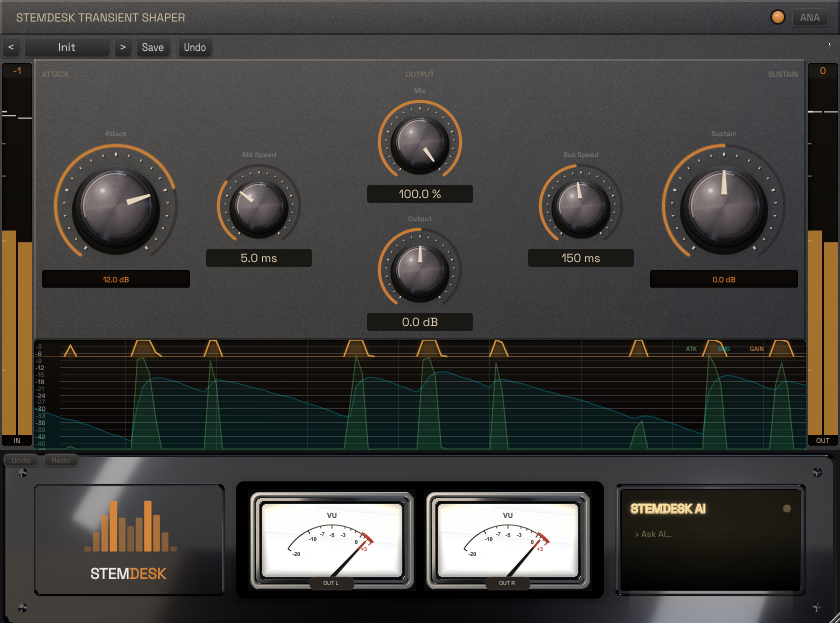
Independent attack and sustain shaping — punch up drums or pull a room back.
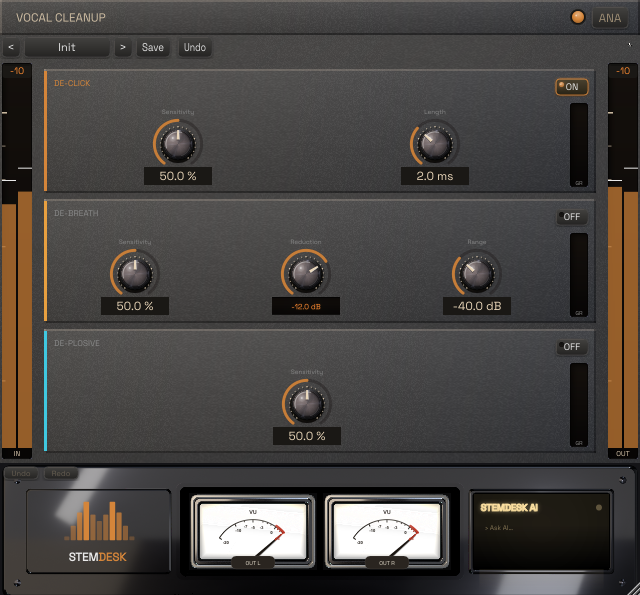
De-breath, de-click and de-plosive in one pass — raw vocal in, clean take out.
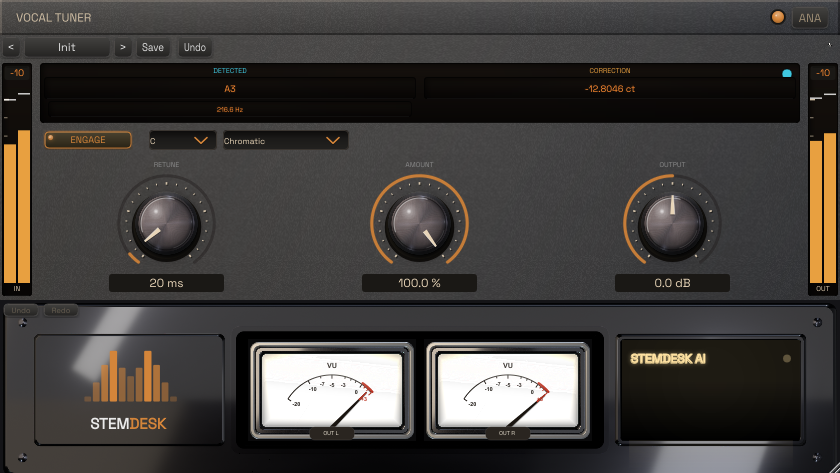
Formant-preserving pitch correction — retune speed from hard-tune to natural glide.
The plugins work in every DAW that loads VST3, AAX or Audio Units. Pro Tools, REAPER and FL Studio are empirically tested end-to-end; every plugin passes pluginval strictness-10 host-lifecycle validation.
| Host | Plugin format | Status |
|---|---|---|
| Pro Tools 2022–2024 | AAX (PACE-signed, no iLok) | Tested |
| REAPER 6/7 | VST3 | Tested |
| Cubase 12/13 | VST3 | Standards-validated |
| Ableton Live 11/12 | VST3 | Standards-validated |
| Studio One 6 | VST3 | Standards-validated |
| Bitwig Studio 5 | VST3 | Standards-validated |
| FL Studio 21 | VST3 | Tested |
| GarageBand (macOS) | AU | Tested |
| Logic Pro (macOS) | AU | Standards-validated |
Loaded in your DAW, the plugins keep a live link back to the app — settings pushed out, meters streaming back, the AI button answering from the same local model that knows your session.
StemDesk can hand your whole mix to a DAW as a session (Studio tier):
| Target | What you get |
|---|---|
| REAPER (.rpp) | Full session — tracks, levels, pans, buses, and real plugin instances preloaded with the mix's computed settings (StemDesk plugins, or your own FabFilter) |
| Pro Tools (live) | StemDesk drives a running Pro Tools and builds the session track-by-track |
| Every export comes two ways: built around FabFilter's Pro series if you own it, or around StemDesk's own Channel Strip if you don't — you are never required to buy another company's plugins to get a finished, editable session. | |
| Ableton Live (.als) | Session with stems, levels, pans, and song tempo |
| DAWproject | Open interchange format for Studio One and other supporting hosts |
Plenty of tools auto-master a stereo file. A few auto-mix stems in the cloud. StemDesk is the one that mixes your stems locally, through real named plugins — and hands you back the session.
| Capability | StemDesk | RoEx Automix | Cryo Mix | iZotope Neutron 5 | iZotope Ozone | LANDR |
|---|---|---|---|---|---|---|
| Full mix from your multitrack stems | ✓ native — up to a 17-plugin chain per stem | ✓ up to 32 stems | ✓ | ✗ per-track assistant inside your DAW | ✗ masters a stereo file | ✗ masters a stereo file |
| Hands back an editable DAW session | ✓ Pro Tools · REAPER · Ableton · DAWproject, plugin chains included | partial — stems + levels/pans, no plugin chains | ✗ browser only | n/a — lives inside your session | n/a — lives inside your session | ✗ renders a file |
| Audio stays on your machine | ✓ always — nothing uploads | partial — cloud by default, local desktop in beta | ✗ cloud upload | ✓ | ✓ | ✗ cloud upload |
| Included plugin suite, usable in any VST3, AAX or AU DAW | ✓ 17 plugins | ✗ internal pipeline only | ✗ | partial — 10 modules in one plugin | partial — mastering modules | partial — third-party bundle while subscribed |
| AI critique, coaching & spectral analysis | ✓ full local panel — critique, coach, heatmap, diagnostics | partial — mix reports | partial — chat assistant | partial — Mix Assistant | partial — Master Assistant | ✗ |
| Works fully offline | ✓ | partial — desktop beta | ✗ | ✓ | ✓ | ✗ |
| Batch album processing | ✓ Studio tier | — | — | ✗ per-track inserts | ✗ per-track inserts | — |
| Own it outright — no subscription | ✓ one-time license, $0 / $99 / $179 | ✗ subscription or pay-per-download | ✗ subscription | ✓ perpetual license | ✓ perpetual license | ✗ subscription |
Compiled July 24, 2026 from each vendor's own published pages. Products, editions, and pricing change often — check with the vendor before relying on any cell here. "—" means we could not confirm a published capability at that date, not that it is absent. Every product above is good at what it is built for; this table is about what each one is built for, not which is better made. All product names and trademarks are the property of their respective owners; no affiliation, sponsorship, or endorsement is implied.
One-time license, activated offline. No subscription, no iLok — ever. Start free, upgrade when you need the full suite. Launch pricing is available for a limited time — and every v1.x update is free, in writing (EULA §3).
Twenty years of a working studio's method, compiled into software.

Founder, The OC Recording Company · Fulks, Inc.
Built from nothing into a premier Orange County studio, est. 2005, now in the Inland Empire — SSL Sigma and Pro Tools Ultimate HDX. Twenty-plus years of records: Grammy winners, Oscar-nominated actors, platinum artists, Netflix, Gold Records, JBL/NBA, Power Rangers, audiobooks for Penguin Random House and Simon & Schuster, and voice-over for Blizzard and the U.S. FTC.
Also a computer scientist and a licensed California attorney. He wrote every line of StemDesk himself.
The plugins were voiced against what the SSL room at OC Recording does.
The separation pipeline, the mix engine and all seventeen plugins were written by the person who mixes on them.
An 858-page textbook and a certificate course — the reasoning behind every move is taught, not hidden behind "AI".
"Your audio never leaves your machine" was written by someone professionally obligated to mean it.
No. Separation, analysis, mixing, and the optional AI assistant all run locally. Nothing is uploaded, ever.
Only for the download and the optional one-time AI model fetch. Mixing, separation, and the plugins work fully offline.
The mix itself is built by deterministic, measurable DSP. The local AI suite sits on top — graded critique, a session-aware coach, per-stem diagnostics, vocal transcription, reference matching, preset generation, and music & lyric generation — all optional, all user-driven, never a black box in your render path.
No. StemDesk plug-ins never need an iLok. The AAX versions are PACE-signed, as Avid requires, but not iLok-licensed, so no iLok account, dongle or cloud authorization is needed for StemDesk in Pro Tools or any other DAW. (Pro Tools itself may ask for an iLok account for Avid’s own licensing.)
A key arrives by email after purchase and activates offline inside the app — cryptographically signed, no account, no phone-home.
Music generation runs through ACE-Step, a free local generator you install separately and point StemDesk at — we don't bundle it, so the installer stays lean for the majority who won't use it. Everything else, including the lyric writer, critique and coach, uses the model StemDesk downloads in-app.
The default local model runs on modest hardware. Power users can pick from a catalog of eleven local models (2.8–30.4 GB), each recommended against your detected VRAM — and a multi-GPU machine is sized against its combined VRAM, not one card.
Yes — macOS on Apple Silicon (M1 or later) is in beta, signed and notarized, with all 17 plugins in both VST3 and Audio Unit formats. The AUs pass Apple’s auval, are Developer ID signed, notarized and stapled, and load and connect to StemDesk from inside macOS’s sandboxed AU host — measured in GarageBand; Logic Pro uses the same host service. External sidechain in AU requires a stereo main input.
One installer for every tier. Your license key unlocks Pro or Studio inside the app.
Windows 10/11, 64-bit · v1.0.32. The installer and plugins are code-signed; verify with the SHA-256 checksum. AAX plug-ins are PACE-signed for Pro Tools and need no iLok account or authorization. The optional local AI model is a one-time ~8 GB download, fetched only with your consent.
First run: Windows SmartScreen may show “Windows protected your PC” — normal for new software while Microsoft builds download reputation for it. Click More info, confirm the publisher reads “Fulks, Inc.” (that’s us), then Run anyway.
macOS (beta):
StemDesk-1.0.32-arm64.dmg
— Apple Silicon (M1 or later), macOS 13+. Signed and notarized by Apple, so it opens
without warnings: drag StemDesk to Applications and launch. The 17 plugins install as VST3 to
~/Library/Audio/Plug-Ins/VST3 and as Audio Units to
~/Library/Audio/Plug-Ins/Components (AAX/Pro Tools is Windows-only). Same license keys; the optional AI model downloads in-app with your consent.
Verify: SHA-256.
Linux (beta):
StemDesk-1.0.32.AppImage
— one file, everything included. x86_64, glibc 2.28+ (Ubuntu 22.04+/Debian 12+ and similar).
Runs on a stock Ubuntu Desktop install — v1.0.24 and later work with the FUSE 3 stack
your distro already ships (releases before v1.0.24 needed a one-time
sudo apt install libfuse2t64 on Ubuntu 24.04+).
chmod +x, run, and the 17 plugins install to ~/.vst3 as VST3
(AAX/Pro Tools is Windows-only). Same license keys work; the optional AI model downloads
in-app with your consent, exactly as on Windows.
Verify: SHA-256
· GPG signature
(release key).
Uninstalling on Linux (an AppImage has no uninstaller — delete
the file, then these):
~/.vst3/StemDesk (plug-ins) ·
~/.local/share/StemDesk (AI runtime) ·
~/.config/stemdesk (settings, licence — and the AI music-generation
environment if you set that up, which is several GB) ·
and, if you used the AI features, the model caches:
~/.cache/huggingface (the stem-separation model — about 320 MB,
downloaded the first time you separate a track — plus transcription models),
~/.cache/voicefixer (voice repair) and ~/.cache/torch if it
exists.
The language models live in Ollama’s shared store — if you use Ollama for nothing
else you can delete ~/.ollama outright; if you do use it, run ollama list
and remove every model beginning stemdesk- (the default one is
stemdesk-gemma4-e4b-q4; any larger model you switched to in Settings is a separate
entry, and those can be tens of GB).
Your sessions and mixes in ~/Documents/StemDesk are yours — nothing above touches
them. That folder also holds a small internal config subfolder (plugin–app link
token and model preferences), so if you want nothing left, delete
~/Documents/StemDesk too once you have saved any mixes you want to keep.
Every AI feature in StemDesk runs on your machine — your audio never leaves it. The AI assistant, mix critique and arrangement features run on your choice of open-weight language model, downloaded in-app with your consent, checksum-verified, and matched to your hardware automatically:
Google Gemma 4 — E2B · E4B (the default) · 26B MoE · 31B (up to near-lossless Q8 for multi-GPU rigs) • Alibaba Qwen 3.5 — 4B · 9B · 35B MoE • Qwen 3.6 — 27B • Qwen 3.8 — 27B, supported the week of its release, up to near-lossless Q8 for multi-GPU rigs.
Also on board: Demucs (Meta’s stem-separation model) splits full mixes into stems, and the optional one-click ACE-Step setup adds AI music generation that runs on your machine. All open-weight, all offline — no cloud, no account, no audio upload.